
Industrial connectivity
Modbus data, one platform.
Bring Modbus meters and industrial sensors into the same platform as your wireless devices. Start with the device’s register map and collection path, then turn readings into useful monitoring data.
From equipment to useful data
Modbus is used by meters, sensors and industrial controllers to exchange values through registers and other data objects. Modbus RTU uses serial communication; Modbus TCP carries Modbus messages over an IP network. The collection setup depends on the equipment and the site.
Plan your integration
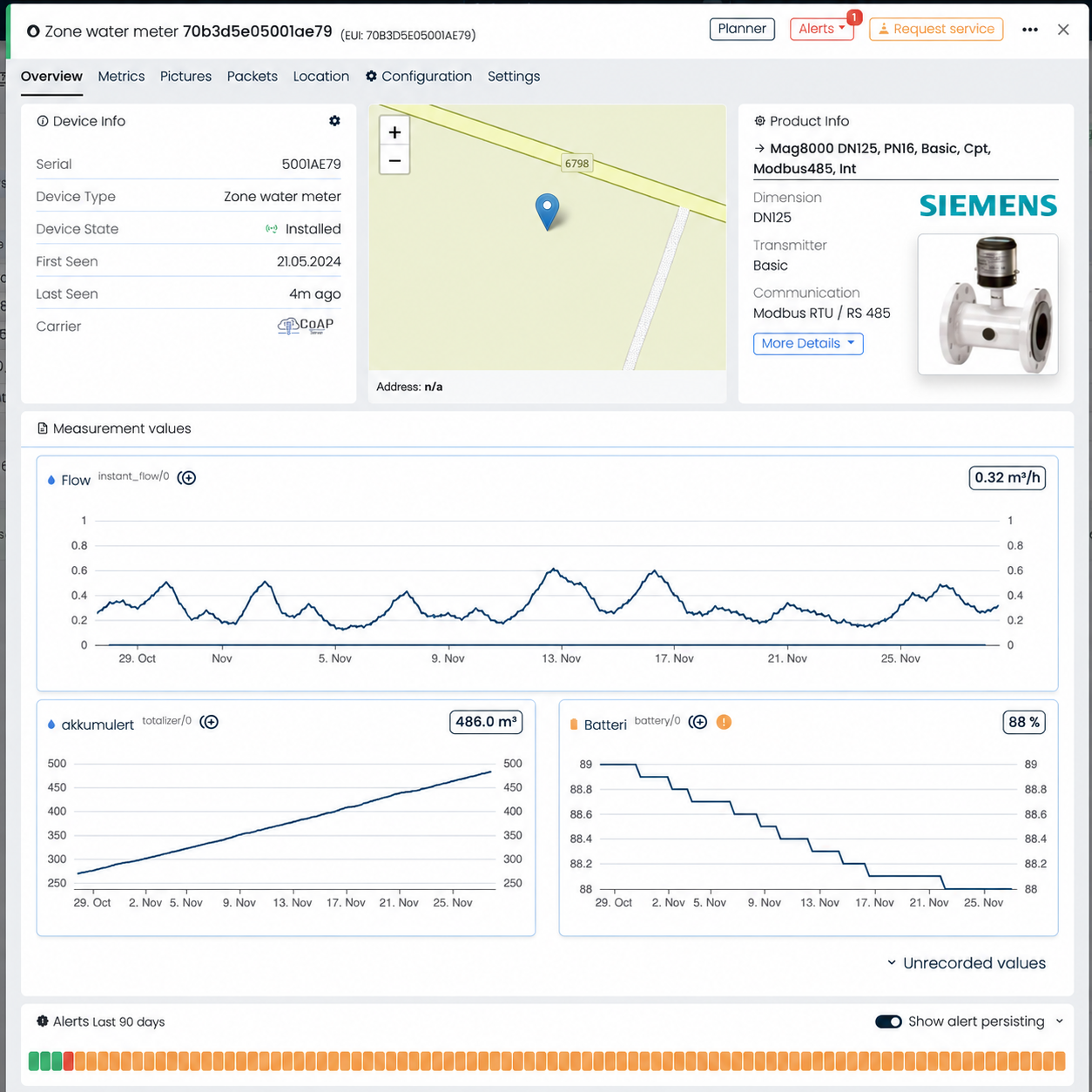
Share the model, register map and whether the device uses RTU or TCP. Confirm the gateway or collector, device address, data types, scaling, byte order and polling interval. Validate a known reading against the device before rolling out to the rest of the site.
Technical reference
What you get
- Modbus device profiles in the Divako device library
- Industrial measurements alongside wireless sensor data
- A common platform for different meter manufacturers
- Monitoring for energy, water and site infrastructure
- Related REST, MQTT and webhook integration options
- Connection planning around the device and register map
Questions
Frequently asked
What is the difference between Modbus RTU and TCP?
RTU is a serial form of Modbus, commonly used on RS-485 networks. TCP carries Modbus messages over an IP network. The transport determines how the collection equipment connects.
What do you need to connect a Modbus meter?
The meter model, its register map, communication settings and the proposed gateway or collector. Register addresses alone are not enough: data types, scaling and byte order also matter.
Can Modbus and LoRaWAN be used together?
Yes. Divako supports industrial Modbus devices and LoRaWAN sensors on the same platform. The collection path and update interval are planned for each device.
Industrial connectivity
Connect your industrial data.
Bring your device list, integration requirements and a sample of the values you want to see. We will work through the connection path with you.